Start with the publication and one real post, then configure the website around that content. Do not begin with automations or a paid plan: Launch is enough to test the core publishing workflow.
Best for: A creator setting up a first newsletter and publication site.
Think twice if: You are migrating a complex list or a revenue-critical automation without a rollback plan.
Key limit: This guide covers setup and interface orientation; it does not cover sending to a live audience or configuring paid monetization.
1. Create the publication before designing around it
Open the official beehiiv site and create a Launch account. Define the publication’s name, audience, and purpose. Keep the first setup narrow enough that you can change it after one test post.
2. Draft the first post
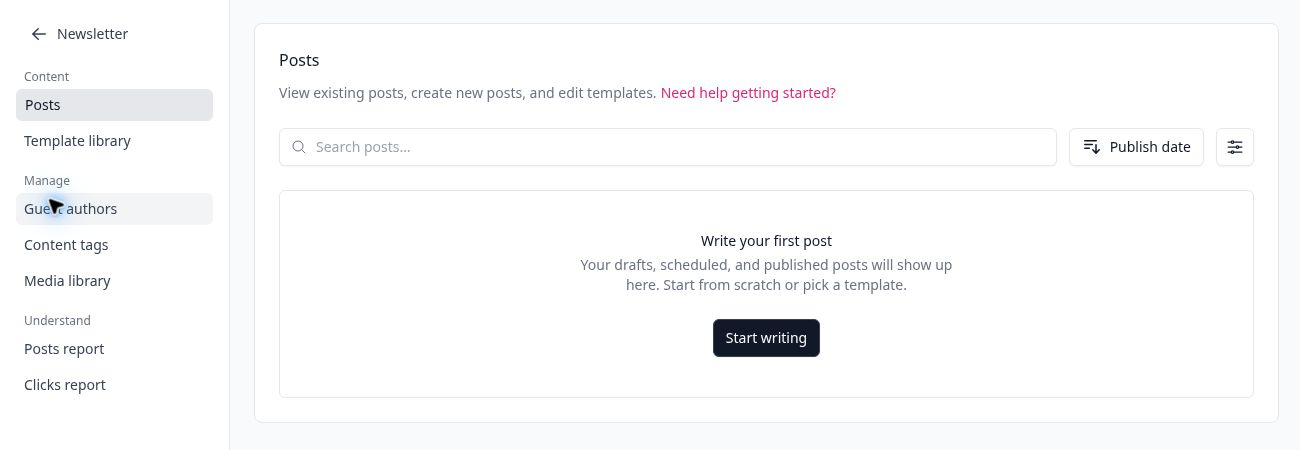
The Newsletter → Posts area is the operational starting point. A blank account makes the next action explicit: write the first post or begin from a template.
3. Choose the website’s job
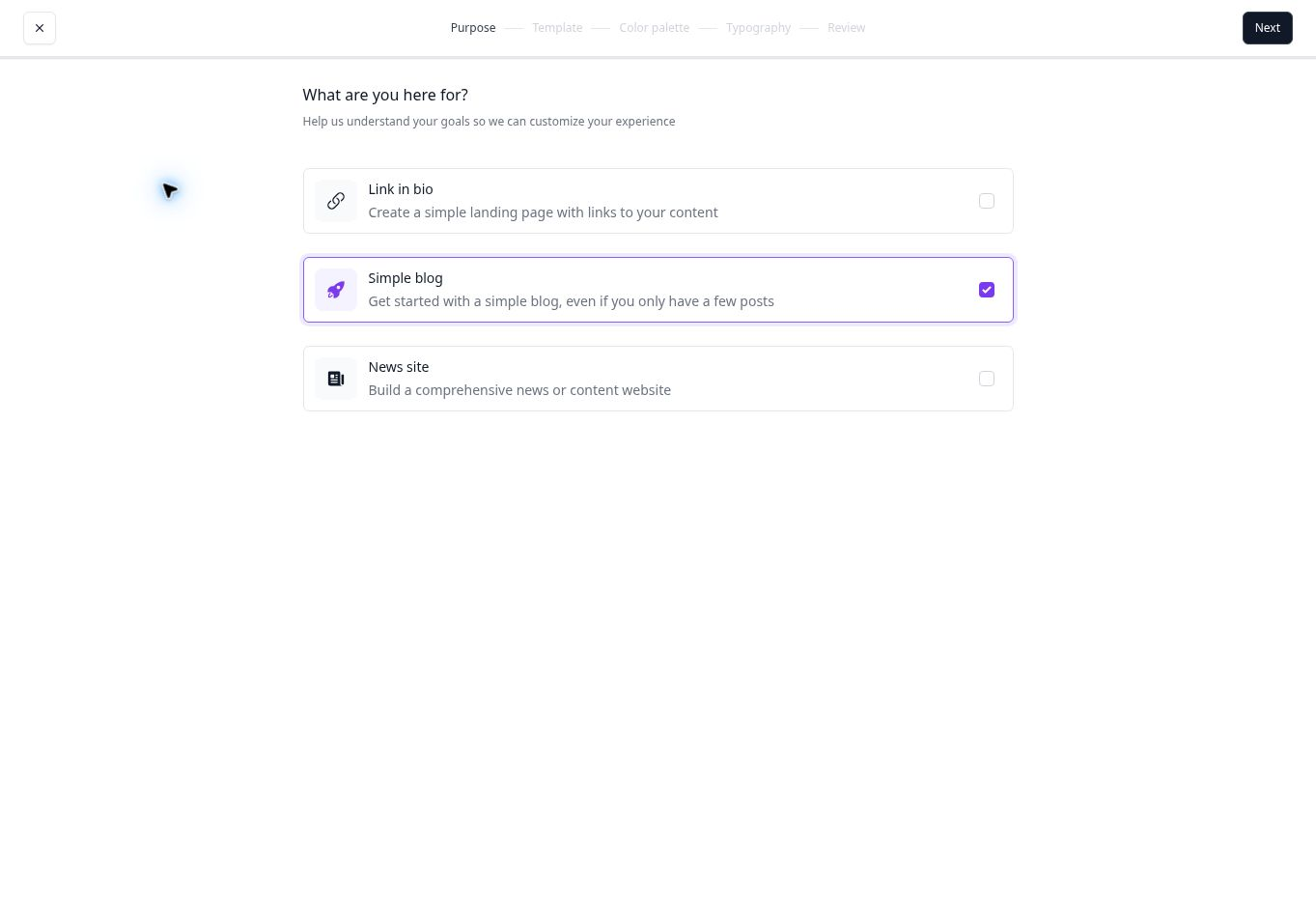
The website setup asks whether you need a link-in-bio page, a simple blog, or a news-style publication. Choose based on the content you will maintain—not the option that looks most ambitious.
4. Record the automation gate before planning a sequence
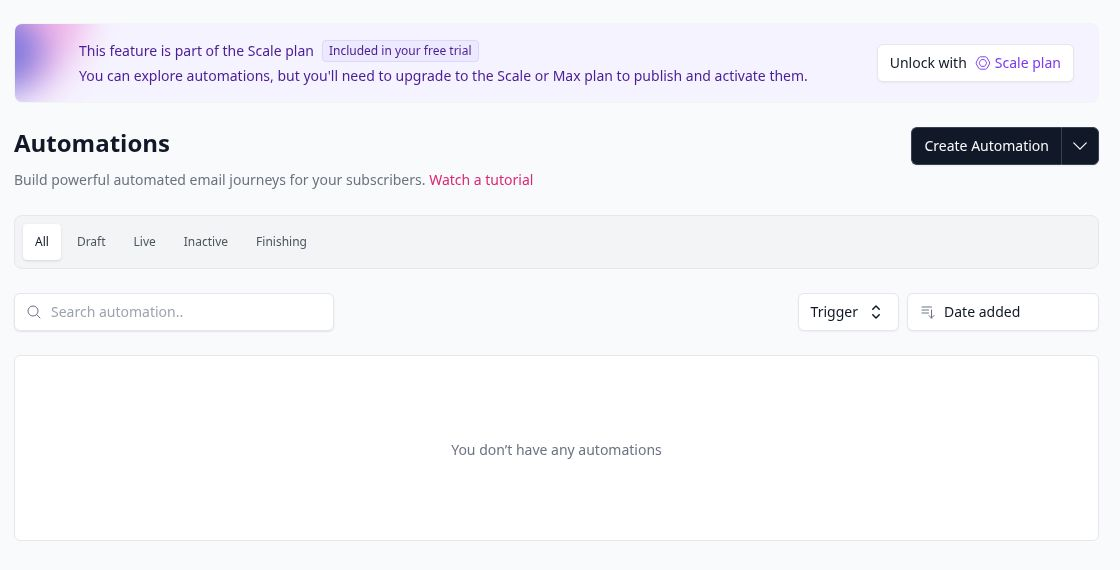
If your launch depends on a welcome sequence, check the plan boundary first. The current interface allows exploration during the trial but requires Scale or Max to activate automations.
Pros and limitations
What works
- A focused publishing workflow
- The site can be shaped after content exists
- The free plan is sufficient for core setup
What to watch
- Automation planning can lead to an early paid upgrade
- A complex migration needs more preparation than this starter path
- Templates do not replace deliverability or consent checks
Who this route fits—and who should skip it
You are starting from zero or a small list
Your first goal is to publish consistently
You want the newsletter and public archive connected
You need advanced automation immediately
You need to recreate a complex legacy email design exactly
You cannot test a migration in a separate, reversible step
Ready to explore beehiiv?
Link disclosure: We may earn a commission if you sign up or upgrade through this link. This commercial relationship does not determine our assessment.
Create a free beehiiv account on the official siteCheck the current plan terms before creating an account or choosing a paid subscription.
Sources and scope
Assessment of English UI captures supplied for this project, reviewed on September 6, 2026. A visible control establishes interface availability, not completed end-to-end performance. Screenshots were reviewed for visible names, email addresses, account identifiers, domains, and other account-specific information before use.
- beehiiv official homepage
- beehiiv Help Center getting started
- The Software Edit methodology
- Editorial policy and corrections
- beehiiv Pricing: Launch, Scale, and Max Explained
- beehiiv Free Plan: What You Actually Get in 2026
Editorial scope: no purchase, live campaign send, payment setup, domain publication, or external posting was performed for this guide.